How to Make a CV Online for Free in Saudi Arabia (Step by Step, 2026)
You do not need Word, a paid template or a typing office to make a good CV. Here is how to make a professional CV online for free in Saudi format, step by step, with examples for your job and a PDF ready to send to employers.
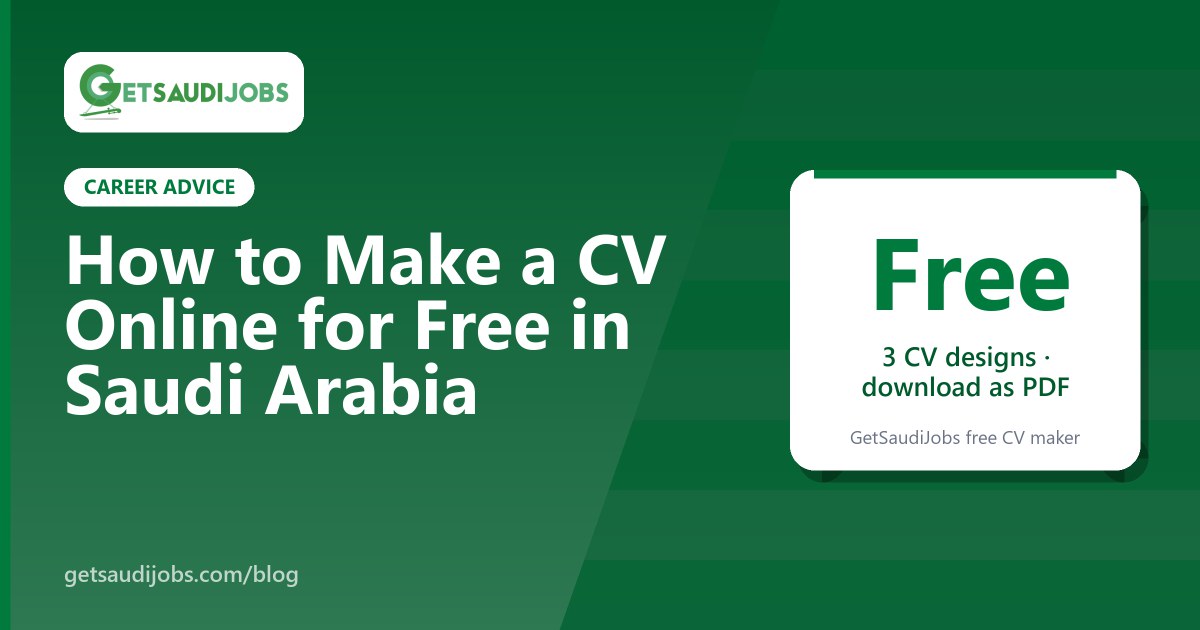
Table of contents
- Why make your CV online?
- How to make a CV online for free: step by step
- Step 1: Personal details
- Step 2: Profile (summary)
- Step 3: Experience
- Step 4: Education
- Step 5: Skills and languages
- Step 6: Extras
- Step 7: Choose a design and save
- After you save: applying for jobs
- Common mistakes to avoid
- Find jobs to apply for
Last reviewed: 18 November 2026.
Short answer: to make a CV online for free in Saudi Arabia, open the GetSaudiJobs free CV maker. Answer seven short steps: personal details, a short profile, experience, education, skills and languages, extras, and the design. You can add the details recruiters in Riyadh, Jeddah and the Eastern Province look for, such as nationality, Iqama or visa status and a Saudi driving licence. Pick one of four designs, then create a free account to see your CV and download it as a PDF. The CV is saved to your account, so you can apply for jobs on GetSaudiJobs straight away and edit it later.
Key takeaways
- You can make a professional CV on your phone in 10 to 15 minutes.
- Each step shows example text for your job, such as accountant, sales executive, nurse, pharmacist, driver, MEP technician or site engineer. Copy it only if it fits you.
- There are four designs (Classic, Modern, Compact and ATS-friendly), and you can switch between them at any time.
- Making and downloading the CV is free. You need a free, verified account to see the finished CV and get the PDF.
- A photo, nationality, Iqama or visa status and driving licence are optional but common on CVs in Saudi Arabia. Your Iqama number and passport number do not belong on a CV.
Why make your CV online?
Most people look for jobs in Saudi Arabia on their phones. Writing a CV in Word on a phone is painful: fonts break and tables move. An online CV maker solves this: you type into simple boxes, the tool handles the layout, and you get a clean PDF that looks the same everywhere.
How to make a CV online for free: step by step
Open the free CV maker. You can start filling it in without an account.
Step 1: Personal details
First, choose what job you do, or the job you want. The CV maker uses this to show example text for your job in every step. There are examples for 18 common jobs in Saudi Arabia: accountant, admin assistant, sales executive, customer service, driver, electrician and MEP technician, HSE officer, nurse, pharmacist, teacher, software developer and IT, warehouse and logistics, security guard, waiter and hospitality, receptionist, marketing and social media, HR officer, and construction site engineer.
Then add your full name, a job title for the top of your CV (for example "Accountant" or "Fresh civil engineering graduate"), phone number with the +966 code if you are in Saudi Arabia, email, city and country, and your LinkedIn profile if you have one. Under More details you can add your nationality, date of birth, marital status, visa status and driving licence. All of these are optional. You can add a photo once your account is verified.
Keep the visa status short, for example "Visit visa", "Iqama holder (transferable)" or "Family Iqama". Saudi nationals can leave it empty. Say which country issued your driving licence, for example "Saudi driving licence (private)". Our Saudi work visa and Iqama guide explains how work visas and transfers work.
Step 2: Profile (summary)
Write two or three sentences on who you are, what you are good at and the job you want. Under the box you will see an example for your job. Tap "Use this example" to copy it, then change the details so it is about you. Interviewers ask about everything on your CV, so keep only what is true.
Step 3: Experience
Start with your latest job. Add the job title, company, city and dates, and tick "I work here now" if it is your current job. Write one duty or result per line, starting each with an action word such as managed, prepared, sold or trained. Add numbers where you can, for example "served around 80 guests a shift" or "prepared the VAT returns for 3 branches". If you have worked in Saudi Arabia or elsewhere in the GCC, make that easy to see.
No experience yet? That is fine. Add internships, cooperative training, part-time work or volunteering, or skip this step.
Step 4: Education
Put your highest qualification first. Degrees, diplomas, school certificates and vocational courses all count. Add your grade or GPA if it helps, for example "GPA 4.2 / 5.0" or "Very Good".
Step 5: Skills and languages
Add 5 to 10 skills that match the jobs you are applying for, such as Excel, ZATCA VAT returns, forklift operation, AutoCAD or BLS. Nurses and pharmacists can add their registration with the Saudi Commission for Health Specialties (SCFHS), and engineers their Saudi Council of Engineers membership. Then add your languages and your level. Arabic and English are both common in Saudi workplaces, so list both if you have them, plus any others.
Step 6: Extras
Certificates, projects and references can help you stand out, for example NEBOSH for a safety officer. Skip anything that does not apply. "Available on request" is enough for references in most jobs.
Step 7: Choose a design and save
Pick one of four designs:
| Design | What it looks like | Best for |
|---|---|---|
| Classic | One clean column with a classic serif look, and your photo if you add one | Most employers in Saudi Arabia, and CVs you send by email or hand in |
| Modern | A coloured side bar for contact details, skills and languages | Sales, hospitality, marketing, IT and design roles |
| Compact | Tighter spacing to fit more on one page | People with several jobs or a long list of skills and certificates |
| ATS-friendly | A plain, one-column layout with standard headings and no photo | Online applications to banks, government-related organisations, multinationals and other large companies |
Classic works well for most employers in Saudi Arabia, and it shows your photo if you add one. For online applications to large companies, multinationals or government portals, choose ATS-friendly. These employers often sort CVs with an applicant tracking system (ATS), and a plain layout is the easiest for that software to read. The ATS-friendly design leaves your photo out, but the photo stays saved and comes back if you switch to another design.
To see your CV and download it, create a free GetSaudiJobs account and verify your email. What you typed is kept. Once signed in, a live preview shows your CV as you type. Press Save CV, then Download PDF.
After you save: applying for jobs
Your new CV is saved to your GetSaudiJobs account as your newest CV, so it is used when you apply for jobs on the site. If you started from a job's "No CV yet? Make one free" link, you get an Apply button for that job when you finish. You can also send the PDF to employers by email or WhatsApp.
Common mistakes to avoid
- Too much personal information. Your Iqama number, passport number and copies of documents are not needed on a CV. Employers ask for them later, during hiring and visa processing.
- Leaving out where you are and your Iqama status. Recruiters want to know if you are already in the Kingdom and how soon you can start. One short line answers that.
- Putting your salary on the CV. Expected salary is usually discussed at the interview or offer stage, not on the CV.
- Sending the same CV for every job. Match your profile and skills to each advert.
- Not reading who the job is open to. Under Saudisation (Nitaqat), some jobs are reserved for Saudi nationals. Read each advert and apply where you are eligible.
- Paying for a "guaranteed" job or visa. You never need to pay to make a CV or to get hired.
For more detail on what employers in Saudi Arabia expect, read our guide to writing a CV for Saudi jobs.
Find jobs to apply for
Once your CV is ready, browse the latest jobs in Saudi Arabia, or look by city: Riyadh and Jeddah. Working in tech? See the IT and software jobs in Saudi Arabia. See also our guides to driver jobs and safety officer jobs. For more guides, see our career advice section.